Your kid probably already uses ChatGPT for homework, curiosity, or bored-on-a-Sunday questions. The default setup isn’t designed for a 10-year-old brain. Here’s the ChatGPT Setup for Kids that actually keeps them safe, learning, and not addicted, without turning you into a Wi-Fi tyrant.
The Gist
- Enable ChatGPT’s Custom Instructions to lock behavior and topics before you hand the tool to your kid.
- The free ChatGPT Setup for Kids works fine at first, no need for the Plus plan at $20/month.
- Follow-up matters more than setup: ask your kid to explain what they learned without the AI, at least twice a week.
Have ChatGPT Recap This Article
ChatGPTWhy This Setup Matters Now
Kids find ChatGPT on their own. They see friends using it. They see it on TV. They open it on a laptop or a phone and start asking questions. If you haven’t set anything up yet, the default is a raw model with no filter for age or topic. It doesn’t refuse mature content everywhere, and it doesn’t know your kid is 9.
The ChatGPT Setup for Kids isn’t about banning the tool. Banning doesn’t work: they’ll use it at a friend’s house. It’s about calibrating the tool once, so when your kid opens it, the answer they get is the answer you would have chosen.
You don’t need a technical background to set this up. Everything happens in the settings menu of ChatGPT, and the whole thing takes about 10 minutes. Once done, it survives across conversations and across devices as long as your kid stays logged into the same account.
Before you start, a note on account ownership. Create the account in your name, not the kid’s. Save the password. Let the kid use the account, but you own it. That way, if you ever need to review the conversation history, you can. If you ever need to close it, you can.

The 5-Minute Setup That Locks Everything Down
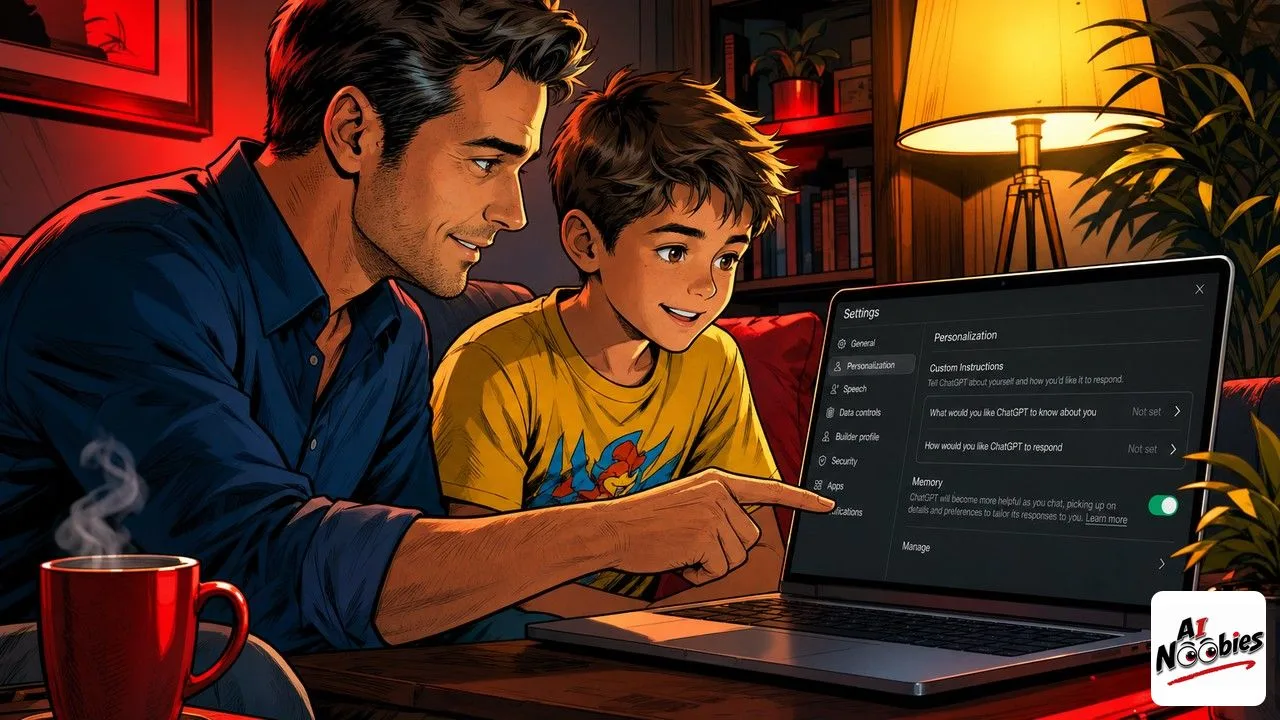
Open ChatGPT, log in, click your profile in the bottom left, then click “Settings”, then “Personalization”, then “Custom Instructions”. This is the box where you tell the AI how to behave for every future conversation on this account.
In the first box (What would you like ChatGPT to know about you?), paste something like: “I am a 10-year-old student. I use ChatGPT to learn, for homework and curiosity questions. I do not want detailed information about violence, drugs, alcohol, romantic or sexual content, self-harm, or anything a school library would not stock. I want simple language, no complicated words, and short answers.”
Adjust the age to your kid’s actual age. If you have multiple kids at different ages sharing the account, use the youngest as the reference. It’s easier to lift the ceiling than to catch a problem after.
In the second box (How would you like ChatGPT to respond?), paste: “Always encourage me to try to answer first before giving the full answer. Ask me what I already know. If I ask something outside the topics my parents allow, kindly say so and suggest I check with a parent. Never invent facts, and always say if you’re not sure. Keep answers short and friendly.”
Save the Custom Instructions. That’s the core of the ChatGPT Setup for Kids. Now every conversation carries those rules, without your kid having to re-type them each time.
Keep learning on AI Noobies:
- Alpha School Charges $75K to Let AI Teach Your Kid
- Clone Your Voice With ElevenLabs in Under a Minute
- Doing Homework With AI Hurts You Two Years Later
What to Do After the Setup: The Human Part
Setup is 20% of the work. The ChatGPT Setup for Kids you just applied becomes powerful only when you sit next to them the first few times they use it after the setup. Watch what they ask. Watch what the AI answers. This is how you learn what your kid actually cares about, which is more valuable than any parental control feature.
Twice a week, ask your kid to explain something they learned via ChatGPT, without the AI open. If they can retell it in their own words, they learned. If they can’t, they outsourced. That’s the same pattern a Chinese study on 26,000 students confirmed: kids using AI a lot got great grades on assignments but their exam scores dropped 24%. The muscle needs to be trained, not skipped.
Alternate AI time with non-AI time. A rule that works well: 20 minutes on ChatGPT, then 20 minutes reading a book, drawing, or doing a physical activity. The alternation trains the brain to switch modes, which is a skill AI-heavy setups tend to erode.
Watch out for two red flags. First, your kid asks the AI questions they should ask you (emotional questions, friend problems, feeling sad). ChatGPT will answer, but the answer will lack context. Redirect these conversations to a human. Second, your kid stops trying to solve problems on their own and starts every task with “let me ask ChatGPT.” That’s the outsourcing pattern, and it’s fixable if caught early.
You don’t need to pay $20 per month for ChatGPT Plus for a kid. The free tier is enough for most homework questions, curiosity queries, and daily use. Only upgrade if your kid legitimately hits the free tier limits (which usually means they’re using it a lot, and you should have a conversation about that first).
Is ChatGPT safe for a 7-year-old?
With the Custom Instructions setup above, yes for supervised use. Below age 13, always keep the account under your login and sit with them for the first sessions. OpenAI’s official minimum age for a personal account is 13, so the account remains yours legally.
Do I need ChatGPT Plus for my kid?
No. The free tier of ChatGPT gives access to a solid model, memory, and Custom Instructions. Plus at $20 per month adds priority access and some advanced features, but they’re not necessary for a kid learning the basics.
Can my kid use Claude or Gemini instead?
Yes, both work. Claude (from Anthropic) has slightly stricter default guardrails on sensitive topics for kids. Gemini (from Google) plugs into Google Family Link, which lets you cap usage time and see activity. Pick the tool your kid already prefers, then apply a similar Custom Instructions setup.
How do I know if my kid is outsourcing?
Ask them to explain a topic they used AI for, without the AI open. If they hesitate or repeat AI phrases verbatim, they didn’t learn. If they can rephrase, add examples, or connect it to something else, they did.
Stay tuned on AI Noobies.
About the Author